
Store automation
Your store, running itself.
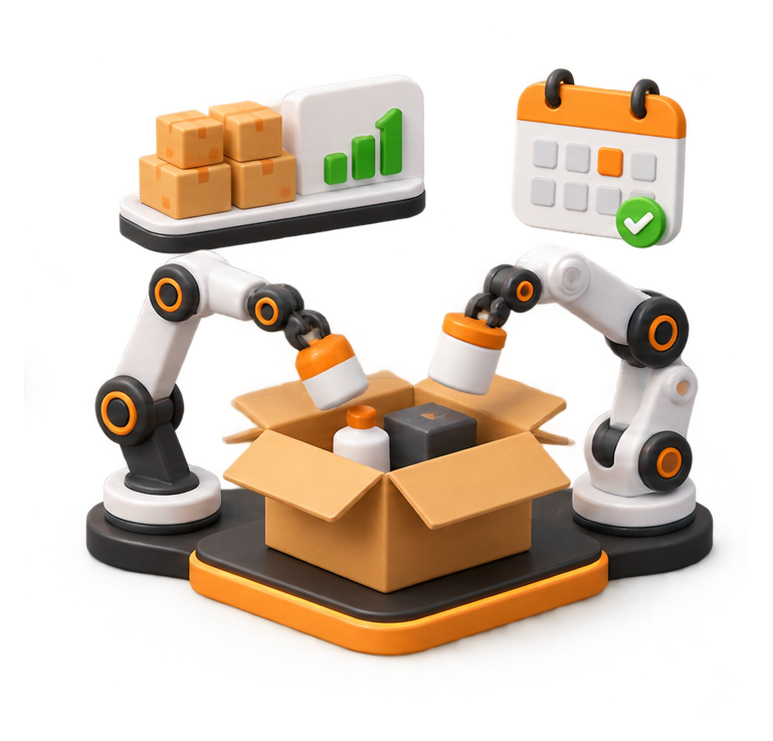
Connect your online store to tools that handle routine tasks automatically. Keep product stock and pricing in sync with your supplier, receive alerts when items are running low, and send orders to your fulfilment partner. Set promotions to start and finish on schedule, with less manual updating.
store // live activity
● LIVE
Stock synced from supplier · 214 products checked
2 min ago
3 items on backorder · arriving 13 Sep
2 min ago
Low stock alert sent · 4 left of a best seller
18 min ago
Order sent to supplier for dispatch
41 min ago
Spring sale ends tonight at 11:59 pm
scheduled
Runs on your own hosting · no one needs to be logged in
A day in your store
Things that happen while you’re busy with customers.
Every task below runs on a schedule on your own website. You get on with your day; the store keeps itself up to date.
05:00
Stock synced
Your website updates product stock levels from your supplier.
07:30
Price changes flagged
Supplier price changes are flagged for you to review before they’re updated.
10:15
Low stock alert
Get an email when a best-selling product falls below your chosen stock level.
11:42
Order sent to supplier
Order details are sent to your supplier after a customer places an order.
14:00
Google product feed updated
Your product feed is refreshed with current stock and arrival information.
23:59
Sale ends on time
Scheduled sale prices and banners switch off automatically at the end of the promotion.
The toolkit
Choose the store tasks you’d like to automate.
Choose the tools that suit your store and add them individually. You only pay for the automations you need. Select a category below to explore the available tools.
Stock and availability
Supplier stock sync Backorder arrival dates Sold out – enquire now Coming soon products Low stock alerts Sync status dashboard Back-in-stock emails Discontinued product clean-up Stocktake import
Prices and offers
Supplier price checks Package deals Multi-buy offers Scheduled sales Bulk price updates Trade pricing Coupon code setup Member discounts Clearance pricing
Product pages
Product filters Free delivery badges Compliance badges Matching product buttons “You’ll also need” items Spec tables Image resizing
Shipping and checkout
Shipping rules Suburb autofill Supplier order alerts Click and collect Delivery date estimates Freight quote requests
Enquiries and quotes
Enquiry cart Enquiry to quote Quote templates Phone call sheet Staff call scripts Sample requests Booking requests Quote follow-ups
Feeds and accounting
Live product feeds Reseller feed Google stock dates Xero or MYOB files Supplier purchase orders Supplier price list import Stock value report
Business workflows
Instant enquiry replies Draft replies to enquiries Scheduled reports CRM contact updates Invoices in Xero Client renewals tracker Subscription reminders Expiry and renewal reminders Reminders and follow-ups Abandoned cart reminders Review requests Order status page Warranty registration Form spam filtering
Stock and availability (9 tools)
- Supplier stock sync – Stock levels updated from your supplier’s feed or website through the day.
- Backorder arrival dates – Out-of-stock items show when more is arriving and can still be ordered.
- Sold out – enquire now – A Sold Out badge and an Enquire Now button instead of a dead end.
- Coming soon products – Show new products early and collect details from interested customers.
- Low stock alerts – An email to you when a product drops below the level you set.
- Sync status dashboard – See when each sync last ran, and anything that needs attention.
- Back-in-stock emails – Customers click Notify me and get an email when the item returns.
- Discontinued product clean-up – Products your supplier drops are hidden and redirected to a similar one.
- Stocktake import – Upload a stocktake spreadsheet and stock levels update in one go.
Prices and offers (9 tools)
- Supplier price checks – A list of products where your prices, SKUs or options don’t match the supplier.
- Package deals – Complete sets sold at one price, with every item still tracked in stock.
- Multi-buy offers – Offers like “Buy 2, save 3%”, with the saving shown on the product.
- Scheduled sales – Sale prices and banners that start and stop on the dates you choose.
- Bulk price updates – Raise or lower prices by brand or category, with neat rounding.
- Trade pricing – Logged-in trade customers see their own prices.
- Coupon code setup – Discount codes for promotions, newsletters or partners, with start and end dates, minimum spends and usage limits.
- Member discounts – Logged-in members or VIP customers automatically see their discount on eligible products and at checkout.
- Clearance pricing – Slow sellers flagged and marked down on a schedule you set.
Product pages (7 tools)
- Product filters – Customers narrow products by size, colour, finish, brand or price.
- Free delivery badges – Tag a product and it gets a Free Delivery badge and $0 shipping.
- Compliance badges – WaterMark, lead-free or any label you need, set by a product tag.
- Matching product buttons – Link parts that go together, such as a trim kit and its rough-in body.
- “You’ll also need” items – Accessories and parts suggested on the product page.
- Spec tables – Sizes, finishes and ratings laid out the same way on every product.
- Image resizing – Photos resized and compressed on upload so pages stay fast.
Shipping and checkout (6 tools)
- Shipping rules – Delivery prices by suburb, size and weight, including courier zones.
- Suburb autofill – Type the suburb at checkout and the postcode and state fill in.
- Supplier order alerts – Supplier-shipped items emailed to the supplier the moment an order lands.
- Click and collect – Customers pick a collection time and you get the order ready.
- Delivery date estimates – “Order today, arrives Tue–Thu” shown on the product page.
- Freight quote requests – Large or pallet orders ask for a freight quote instead of a wrong price.
Enquiries and quotes (8 tools)
- Enquiry cart – Customers build an enquiry list for products you sell by quote.
- Enquiry to quote – Enquiries arrive with the products picked and become a quote in a few clicks.
- Quote templates – Quotes that pull product details and prices straight from your store.
- Phone call sheet – Tick what the caller needs, see the price as you talk, save it as a quote.
- Staff call scripts – Questions and answers for staff to follow on incoming calls.
- Sample requests – Customers order samples, such as tiles, in a couple of clicks.
- Booking requests – Customers request appointments or site visits online.
- Quote follow-ups – A reminder email if a quote hasn’t been accepted after a few days.
Feeds and accounting (7 tools)
- Live product feeds – Self-updating feeds for Google Shopping, Facebook, Instagram or marketplaces.
- Reseller feed – Give the businesses that sell your products a live feed of stock and prices.
- Google stock dates – Arrival dates in your Google feed so backorder items stay approved.
- Xero or MYOB files – Product and cost files ready to import, matched by SKU.
- Supplier purchase orders – Orders turned into purchase orders in Xero, ready to check and send.
- Supplier price list import – Load a supplier’s new price list and update matching products.
- Stock value report – What your stock on hand is worth, emailed to you monthly.
Business workflows (14 tools)
- Instant enquiry replies – Every enquiry gets an immediate confirmation with what happens next.
- Draft replies to enquiries – Suggested replies from your own prices and policies, ready to check and send.
- Scheduled reports – Sales, stock or enquiry reports emailed weekly or monthly.
- CRM contact updates – New enquiries and customers added to your CRM automatically.
- Invoices in Xero – Paid orders or finished jobs turned into Xero invoices.
- Client renewals tracker – Every client’s plan and renewal date in one place, with reminders.
- Subscription reminders – Customers reminded before a subscription or plan renews.
- Expiry and renewal reminders – Reminders before something expires, such as a 12-month assessment or certificate.
- Reminders and follow-ups – Service reminders and follow-up emails sent on schedule.
- Abandoned cart reminders – An email when someone leaves items in their cart.
- Review requests – Customers asked for a Google review after their order arrives.
- Order status page – Customers check where their order is without calling you.
- Warranty registration – Customers register products online and you get the details on file.
- Form spam filtering – Junk enquiries blocked before they reach your inbox.
Don’t see it here? Tell us what you need and we’ll make it happen.
Pricing
Three ways to price it. No surprises.
Automations run from your website on a schedule, so they don’t depend on us being logged in or keeping a computer switched on.
Most tools are small pieces of custom code designed for your website. If a feature needs a plugin or an external service, such as a Xero connection, we’ll explain what’s involved before we begin.
Quick
Quick automation
each, one-off
One-off setup for smaller tools such as product badges, low-stock alerts, checkout autofill and scheduled sales.
Supplier sync
Supplier sync
setup, then $49 a month
Sync product stock, prices and arrival dates from your supplier. The monthly fee covers checking the automation and updating it if your supplier changes its data files.
Custom
Custom build
quoted before we start
Custom automations for shipping rules, product bundles, enquiry carts, quote tools, product feeds and accounting file exports, tailored to how your store works. We’ll confirm the scope and price before starting.
Multi-buy discount: Save when you add more automations
Add two eligible automations to the same project and save 5%. Add three or more and save 10%. The discount applies to Quick Automation and Custom Build setup fees only. Supplier Sync monthly fees are not discounted.
Leave your name and email address and we’ll send you the automation options, pricing and details about how they work. You can also tell us what you’d like to automate. There’s no obligation to go ahead.
OR CALL US
Next step
Not sure what your store needs?
Tell us how you run your store and which tasks take up the most time. We’ll suggest what could be automated and confirm the price before any work begins.